Project overview
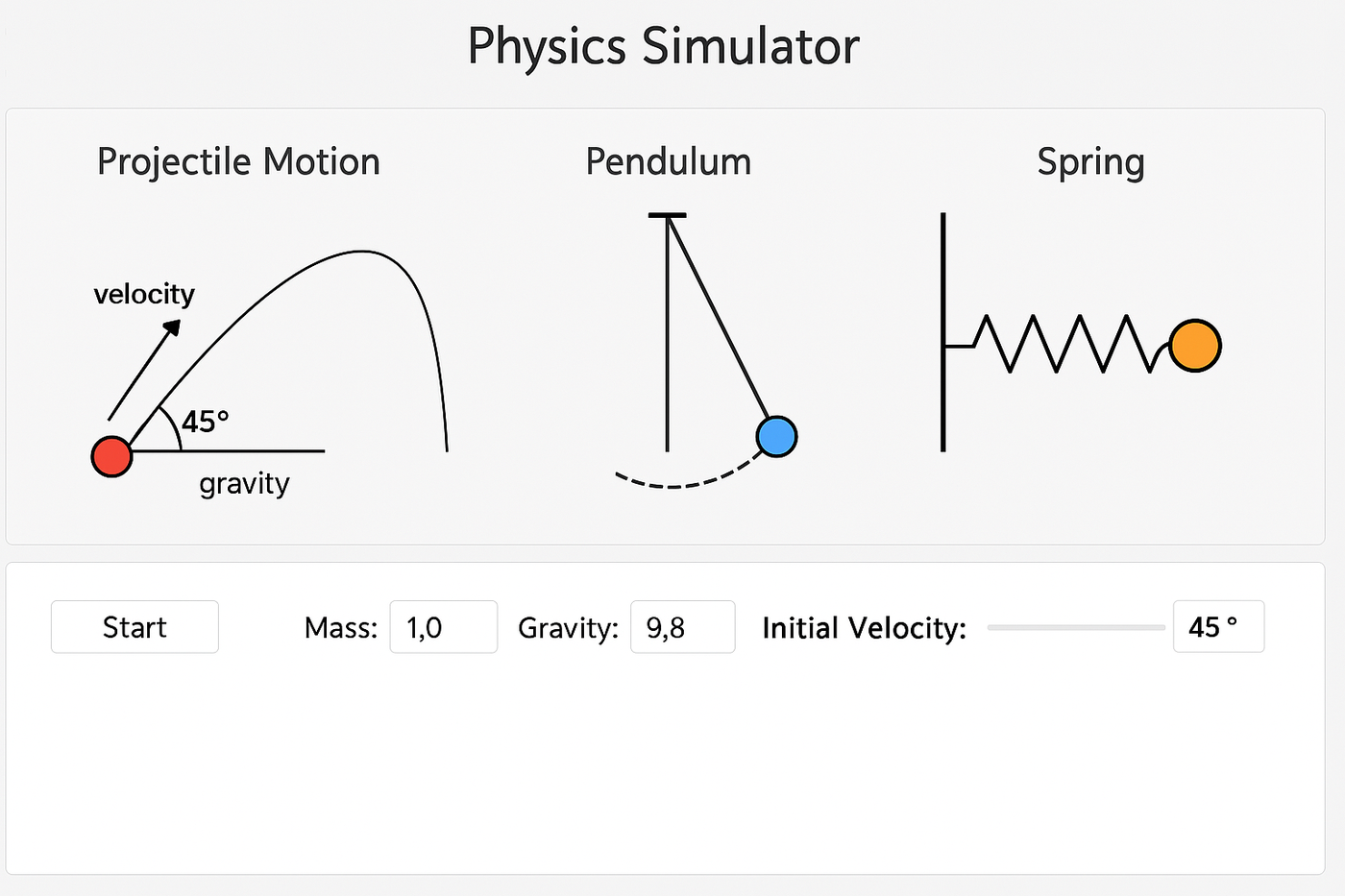
This Java-based educational physics simulator was built from the ground up to visualize classical mechanics concepts such as projectile motion, pendulums, and spring systems. It integrates core physics equations with a graphical interface, offering real-time simulations that show how these systems behave under varying conditions.
I created this project as a way to challenge myself beyond the typical assignments in AP Computer Science A. Prior to this, I had been experimenting with physics simulations in Python and was eager to explore computational physics more deeply. Developing this simulator as a class project let me combine my interest in physics with programming — and now I'm even more excited to share it with others.
Time-stepping
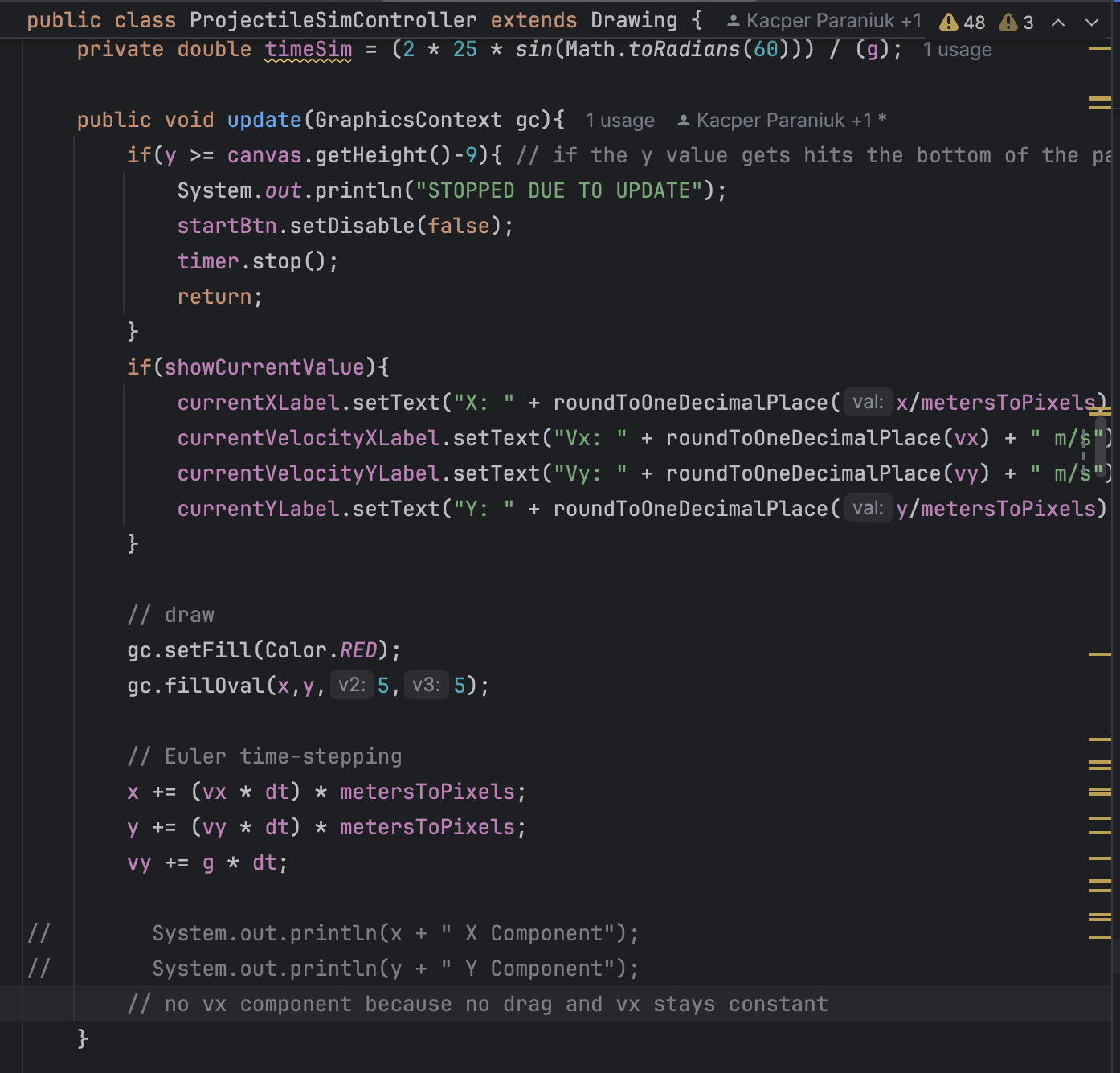
One of the most important components of the simulator is the time-stepping code, which updates the physical state of each object using small, discrete time intervals (Δt). This is what drives the animation behind every simulation.
Built using JavaFX's animation loop and the Euler integration method, the simulator continuously recalculates position, velocity, and acceleration at each frame. This enables smooth, real-time motion that closely approximates continuous physical behavior.
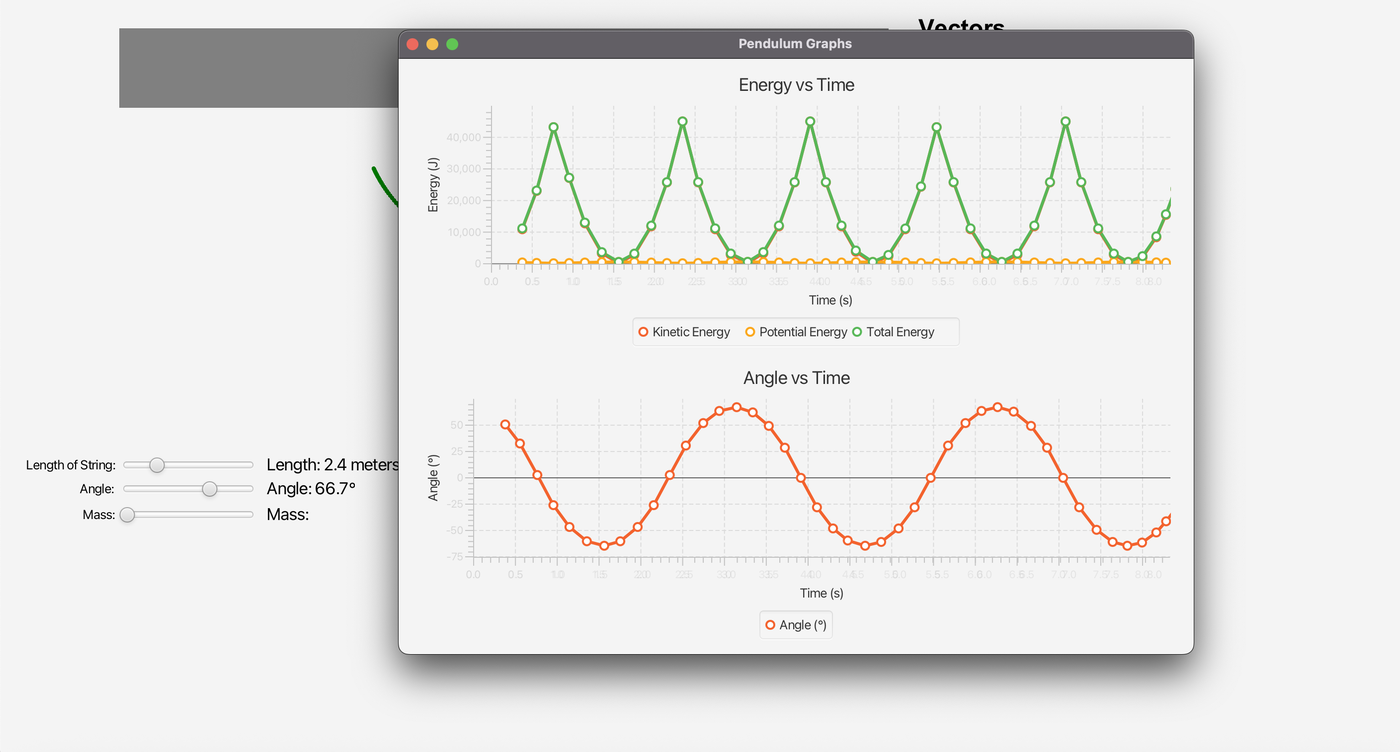
While the math may seem complex at first, the implementation is surprisingly straightforward — it's essentially a numerical approach to integration. By incrementally applying changes over tiny intervals, the simulation mimics the continuous nature of real-world physics. The code below shows the update() function, which loops until its exit condition is met and the simulation terminates. This same method makes it easy to plot variables over time on graphs, as shown below.
Educational features
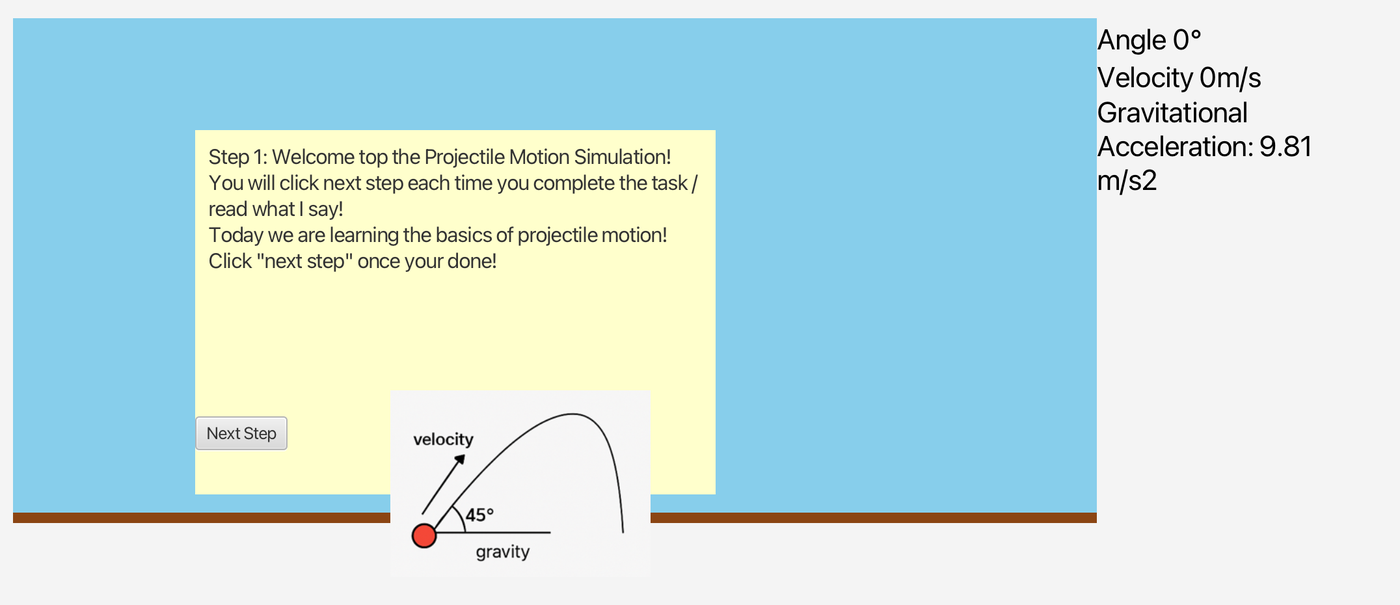
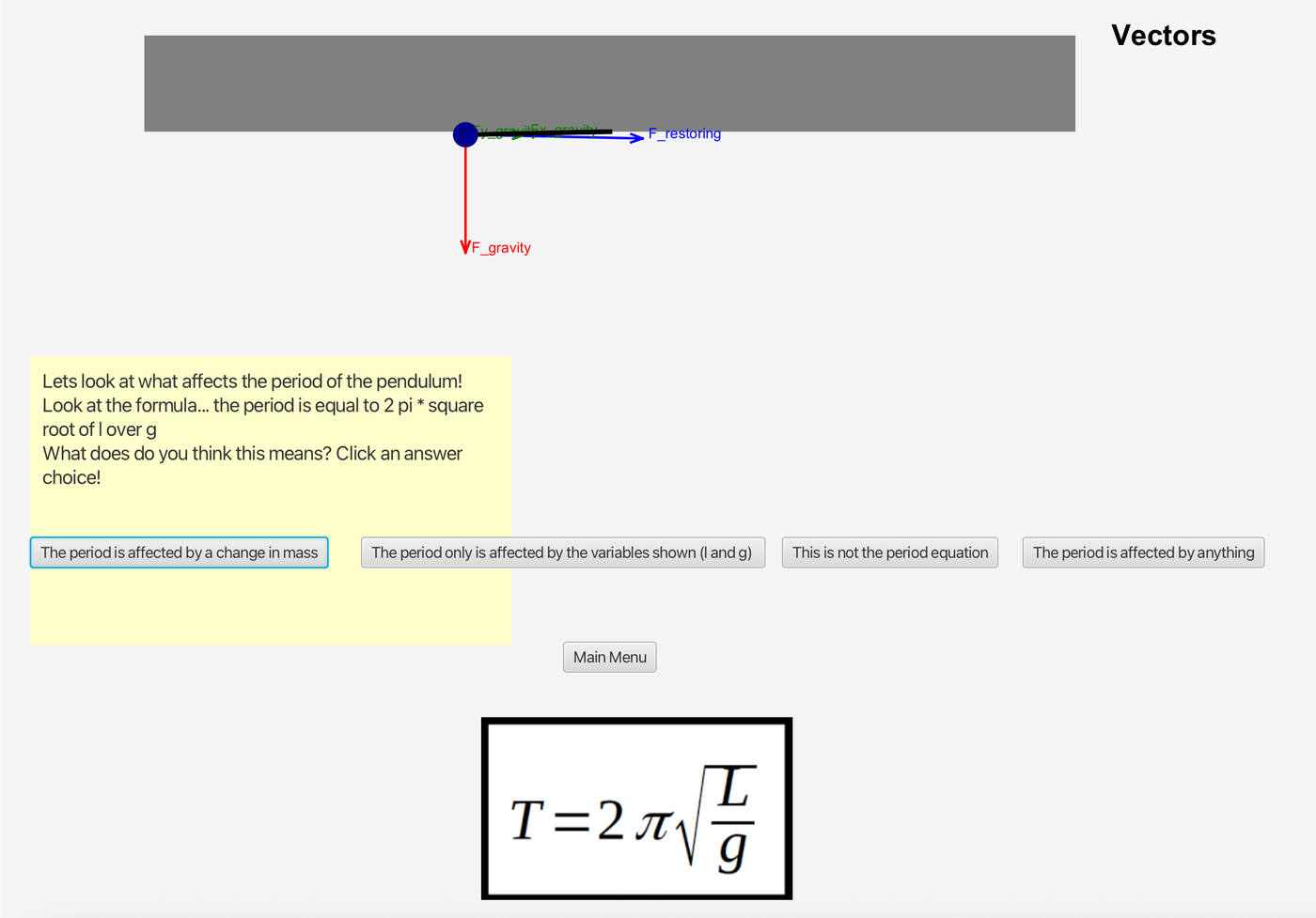
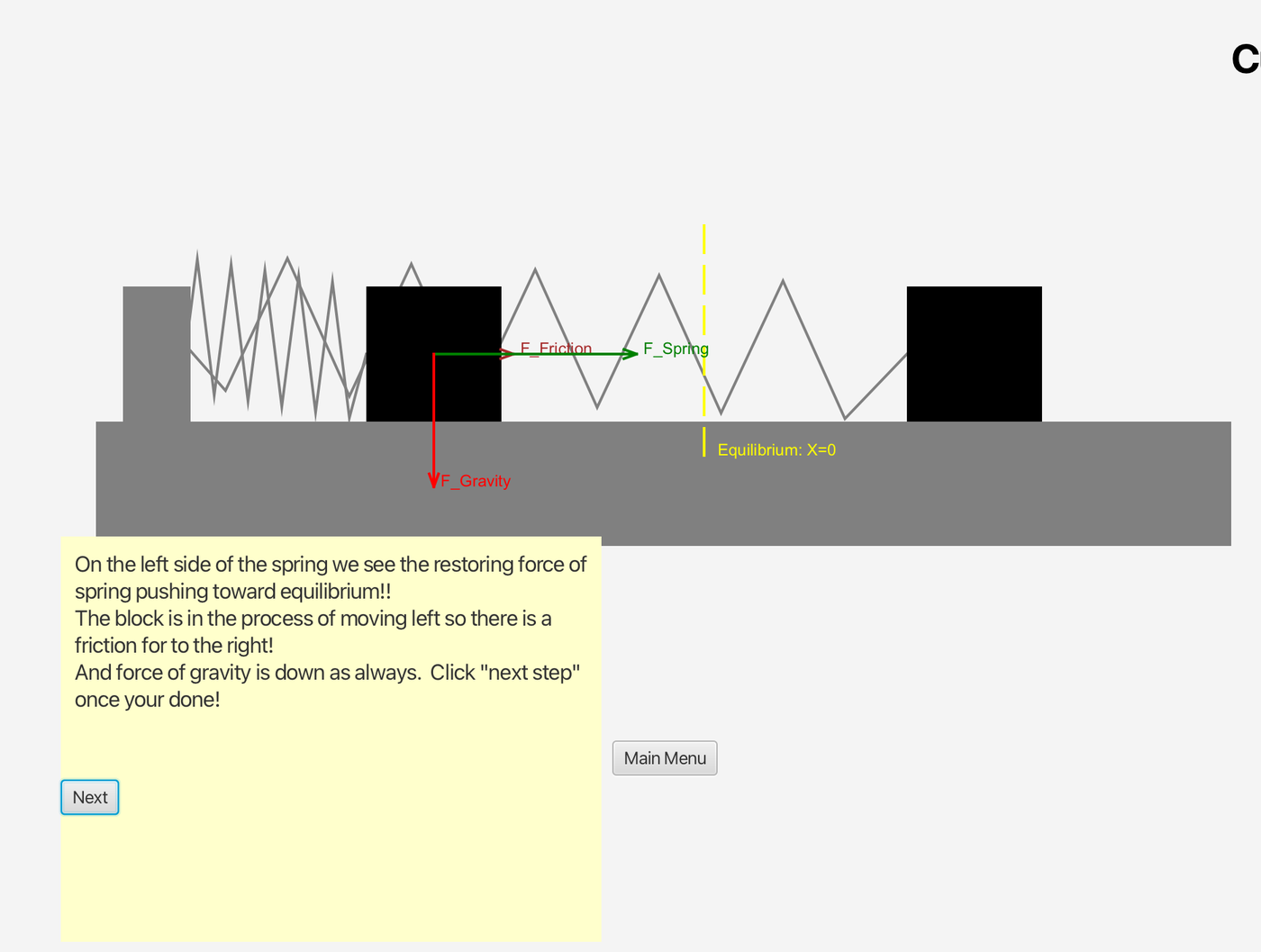
Designed with education in mind, this simulator includes sliders, labels, and explanations that help users understand the underlying physics. There's also an educational mode that walks users through various situations, guiding them through how each system works and teaching basic physics concepts along the way. Real-time value displays show key variables like force, speed, and energy — by adjusting parameters like mass, gravity, and damping, students can immediately see how changes affect system behavior. Click below to see each simulation.
Challenge & debugging
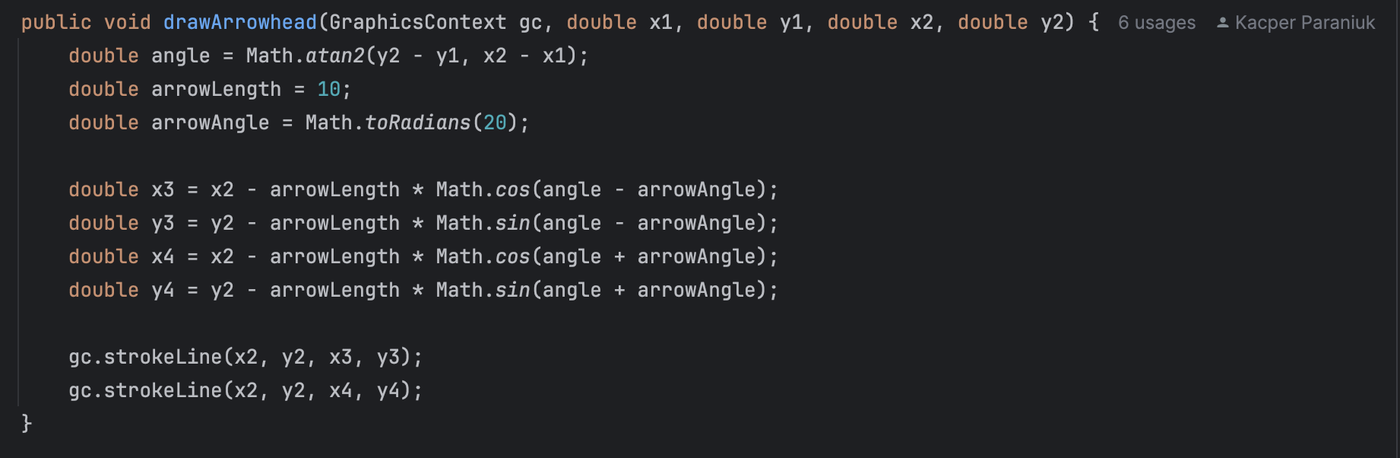
One of the challenges I faced while building this simulator was implementing the trigonometry required to draw force vector arrows accurately on screen. Initially, it was difficult to program the arrow to align correctly with the direction and magnitude of the force, especially when relying only on the object's current position.
To solve this, I modified the approach to calculate both the start point (initial position) and the end point (based on the force vector), then draw the arrow between them. This let the arrow render consistently in any direction and at any position in the simulation — solving the earlier issue of distorted or misaligned vectors. Below is the code I used to draw the arrow based on vector components.
Reflection
This project helped me bridge my understanding of physics and computer science. I learned how to transform theoretical equations into interactive simulations and gained insight into real-time programming and GUI development in Java. Most importantly, it taught me how to simplify complex concepts for educational impact — a skill I hope to apply in future tools and teaching.
Want to try it yourself?
View the source code on GitHub.